Module · part of Koldwerk
Installation management
Which installation is where? What refrigerant is in it? When was the last leak check? — Excel sometimes knows.
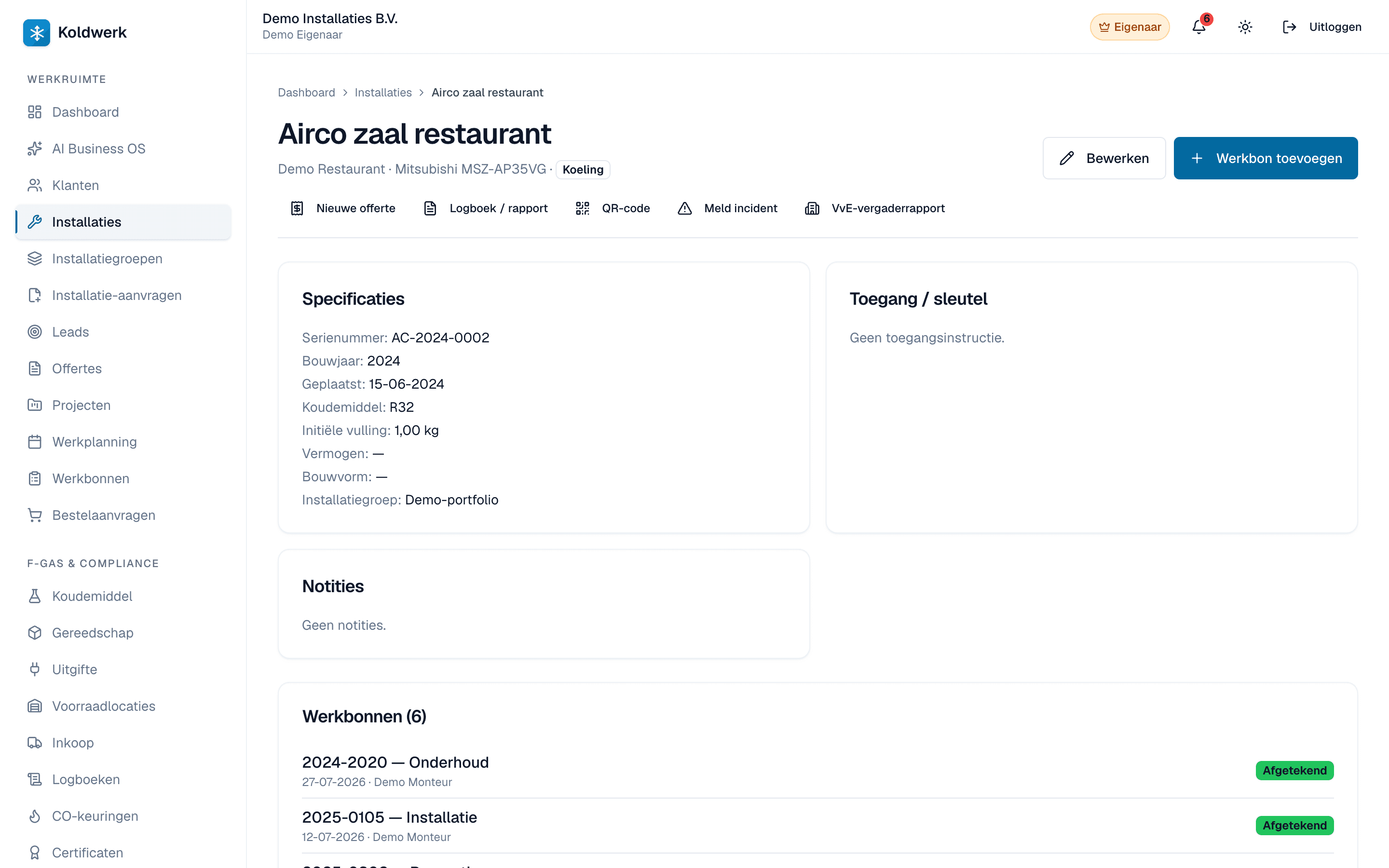
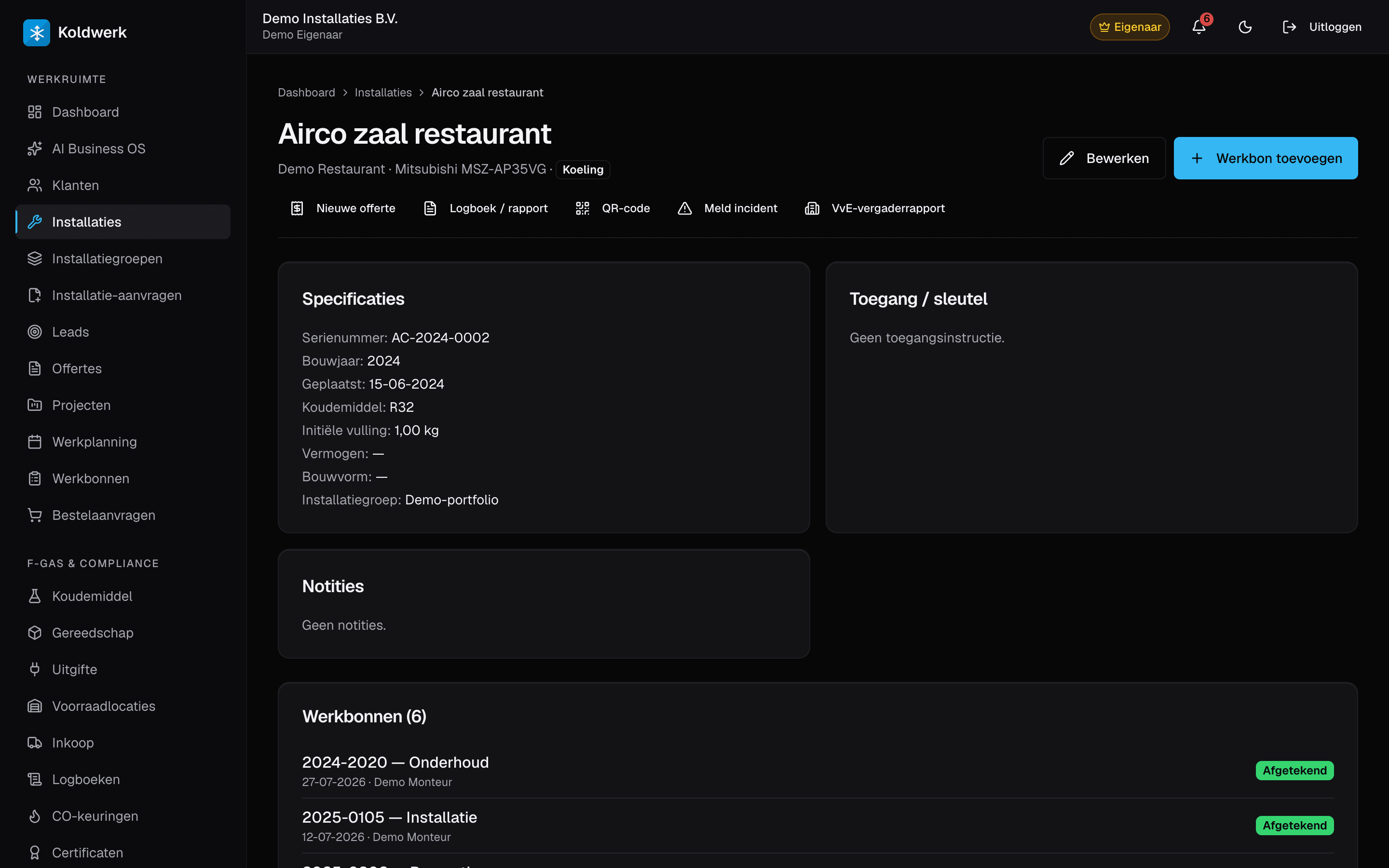
One place for all your installations: per customer, per type, with serial number, refrigerant, installation date, maintenance history and a BRL-100 audit PDF.
- BRL 100
- STEK
- SCIOS
BRL 100 and STEK are Dutch national certification schemes — full support today is NL-only. See our honest country-coverage disclosure.
What it does
What the module does.
Only what the software demonstrably does — nothing that still has to be built.
- Type enum: refrigeration, heat pump, gas combustion, hybrid.
- Fields: location, brand, model, serial number, year of manufacture, refrigerant type + initial charge, installation date.
- Detail page with maintenance history, refrigerant mutations, and an 'Audit report (PDF)' button for BRL 100.
- Installation groups: bundle installations per building cluster (housing association, owners' association).
- SCIOS fields for combustion installations: scope (1-12) + end-user type.
In practice
How installers use it on a normal working day.
Housing association with 200 boilers
Bundle all boilers into one installation group. A maintenance contract at group level generates work orders per individual installation.
BRL-100 audit package
An audit report per installation: customer details, specs, all work orders + signatures, refrigerant history. One PDF.
Sale / handover
Customer selling their building? Export all installation data as a ZIP with audit reports — a clean handover.
Questions first
What installers ask about this.
Question not listed? Email hallo@koldwerk.nl — you get an answer from the builder, not from a helpdesk.
Can customers see their own installations?
Yes, via the customer portal. Read-only — they see specs and work orders, not your internal notes or cost prices.
Can I import installations from Excel?
Yes — self-service CSV import is live at /instellingen/import. Save your Excel file as UTF-8 CSV and upload it (max 1000 rows per batch, customer matching on KvK number or email). For custom mapping from Climatools or ENK we help out in an onboarding call.
Compare
Koldwerk next to the alternatives
Get started
Ready to start with Installation management?
14 days free, no credit card needed. Cancel monthly after that — no renewal tricks.