Module · part of Koldwerk
Work scheduling
Magnets on a whiteboard are cute, but who knows where everyone needs to be tomorrow?
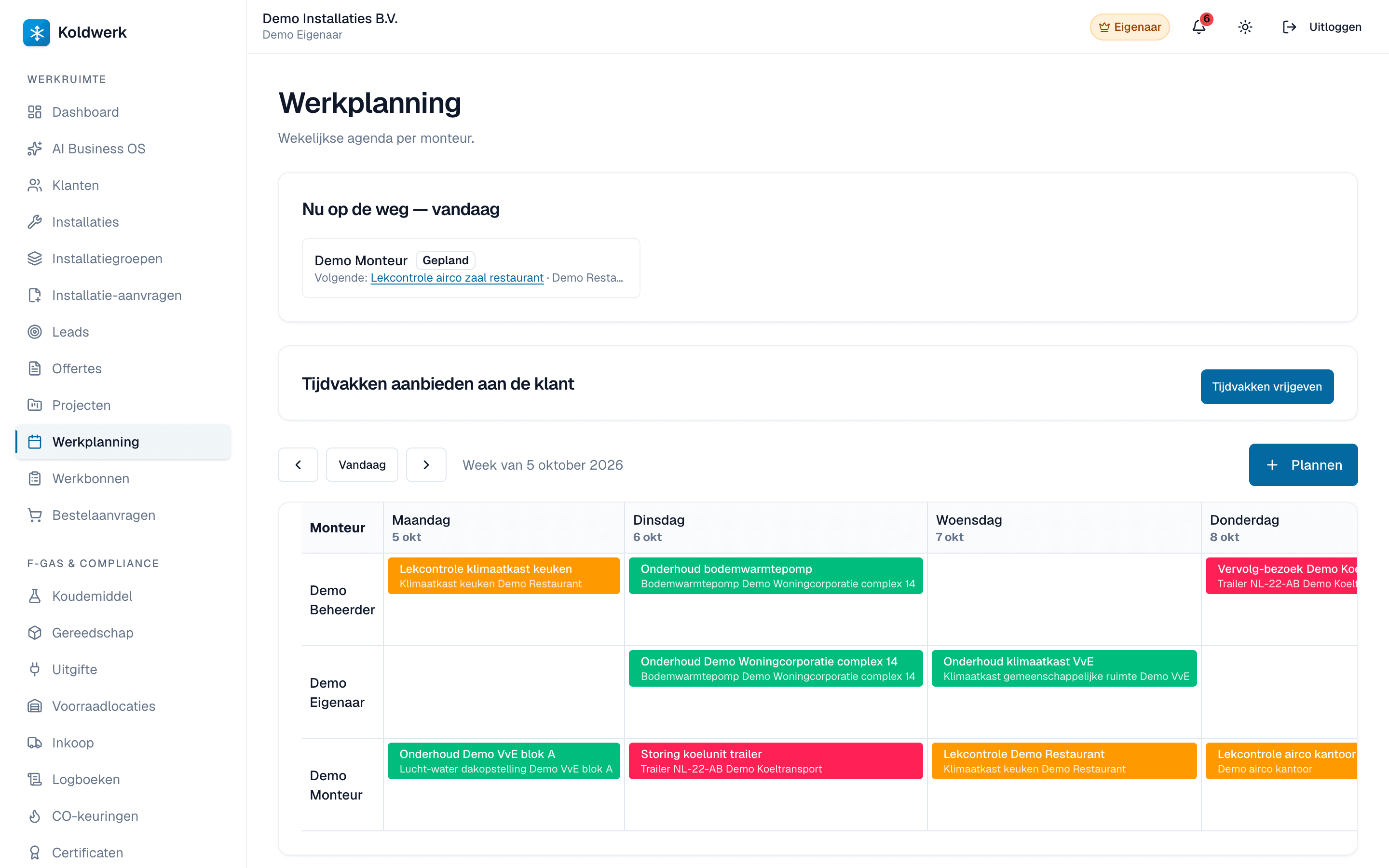
A weekly calendar per installer, one click to schedule an appointment. Generate a draft work order from a scheduled item with a single click.
- BRL 100
BRL 100 and STEK are Dutch national certification schemes — full support today is NL-only. See our honest country-coverage disclosure.
What it does
What the module does.
Only what the software demonstrably does — nothing that still has to be built.
- Weekly calendar with swim lanes per installer.
- Click a time slot → modal for a new appointment with customer + installation + work-order type.
- Status flow: scheduled → confirmed → in progress → completed.
- A 'Generate work order' button on the detail page creates a draft work order with fields pre-filled.
- Mobile day view for installers at `/m/dagplanning`.
In practice
How installers use it on a normal working day.
Monday morning route planning
The owner schedules all visits. Installers see their day on their phone, with the customer address and work-order detail one click away.
Questions first
One question first.
Question not listed? Email hallo@koldwerk.nl — you get an answer from the builder, not from a helpdesk.
Can I optimise routes?
Yes, on Plus and Enterprise: per installer-day Koldwerk calculates the driving time between each address via Google Maps and proposes the order with the least total travel time. No AI — a fixed, explainable algorithm. Your administrator needs to connect a Google Maps API key once for this.
Compare
Koldwerk next to the alternatives
Get started
Ready to start with Work scheduling?
14 days free, no credit card needed. Cancel monthly after that — no renewal tricks.